


Choosing the best VoIP provider depends on how your business communicates. After evaluating platforms like Nextiva, RingCentral, Zoom Phone, and Vonage, I’ve seen how VoIP phone systems have evolved beyond basic calling into full communication hubs with AI, automation, and omnichannel capabilities. The right platform can streamline internal collaboration, improve customer interactions, and reduce costs compared to traditional phone systems.
In this guide, I break down the best VoIP providers for business based on hands-on testing, pricing analysis, and real-world use cases. Whether you’re a startup looking for a simple phone system or a growing team that needs advanced features like analytics and integrations, this list will help you find the right fit.
| Best VoIP providers | Best for | Monthly starting price |
| Nextiva | Omnichannel customer platform | $23 per user |
| Zoom Phone | Low-cost VoIP plans | $10.50 per user |
| RingCentral | AI-powered unified communications | $30 per user |
| Vonage | Build-your-own VoIP | $19.99 per line |
| Ooma | Entry-level VoIP for small business | $19.95 per user |
| Grasshopper | Setting up a dedicated business line | $18 for one user |
| CallHippo | Call center management | $1 per user |
In my experience reviewing business communication tools for TechnologyAdvice, I prioritize how these platforms perform in real-world scenarios. That includes testing ease of setup, analyzing pricing transparency, and assessing how well each provider supports growing teams.
I also evaluate VoIP providers using a structured scoring system that compares pricing, features, usability, support, and scalability across each platform, as indicated with the ratings breakdown for each VoIP system. To learn more about my evaluation criteria, check out the methodology section at the end of the article.
How VoIP software works
VoIP, or voice-over-Internet protocol, allows businesses to make and receive calls over the internet instead of traditional phone lines. Calls are converted into digital signals, routed through secure servers, and delivered to the recipient in real time.
For businesses, this means employees can take calls from desktops, laptops, or mobile devices without being tied to a physical office. VoIP platforms also combine calling, messaging, and video conferencing into a single system, reducing the need for multiple tools.
Adoption continues to grow rapidly. By December 31, 2026, 96% of North American organizations are expected to use cloud-based or mobile PBX systems, reflecting a major shift toward flexible, internet-based communication solutions. This flexibility allows teams to stay connected from any location, while reducing costs compared to maintaining traditional phone lines.
Top VoIP software at a glance
Best VoIP software
Free trial
Key features
My rating

Nextiva: Best omnichannel customer platform
Overall Score
4.9/5
Pricing
5/5
General features
5/5
Advanced features
4.63/5
Support
5/5
Ease of use
3.81/5
Expert score
5/5
Pros
- Supports voice, SMS, chat, social media, and review channels
- Easy-to-use desktop and mobile apps
- Customizable call routing rules
- Very responsive customer support
Cons
- Requires a demo to preview the full interface
- Small Business pricing requires a 12-month contract
Why I chose Nextiva
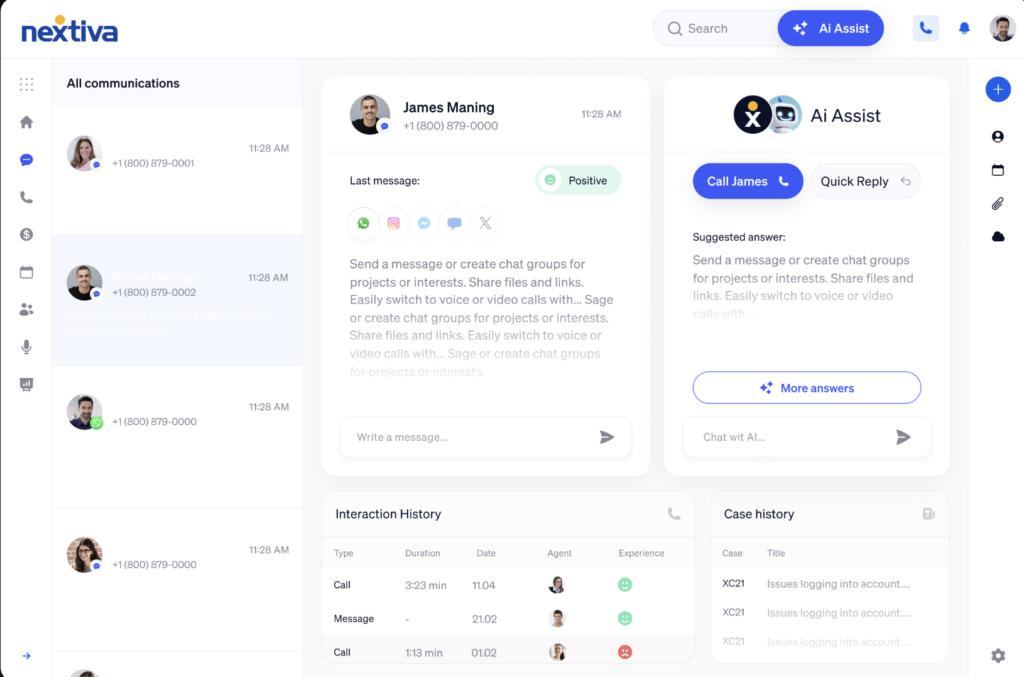
Nextiva is my top pick for businesses that want VoIP plus full customer engagement tools in one platform. While many VoIP providers focus mainly on phone, SMS, and team chat, Nextiva supports a wider range of customer channels, including social media, web chat, and review sites. This makes Nextiva especially useful for client-facing teams that need to manage conversations without jumping between separate tools.
I also like that Nextiva functions more like a customer experience platform than a basic business phone system. It connects customer touchpoints with CRM systems such as HubSpot, Zendesk, and Zoho, so agents can place calls, view customer details, and respond across channels from a single workspace. However, Nextiva may be more than a small startup needs. If your business only needs a dedicated phone number, SMS, and basic call handling, Grasshopper is a simpler and more affordable option
- Alternate numbers: Give users one or more extra numbers or extensions linked to their main line.
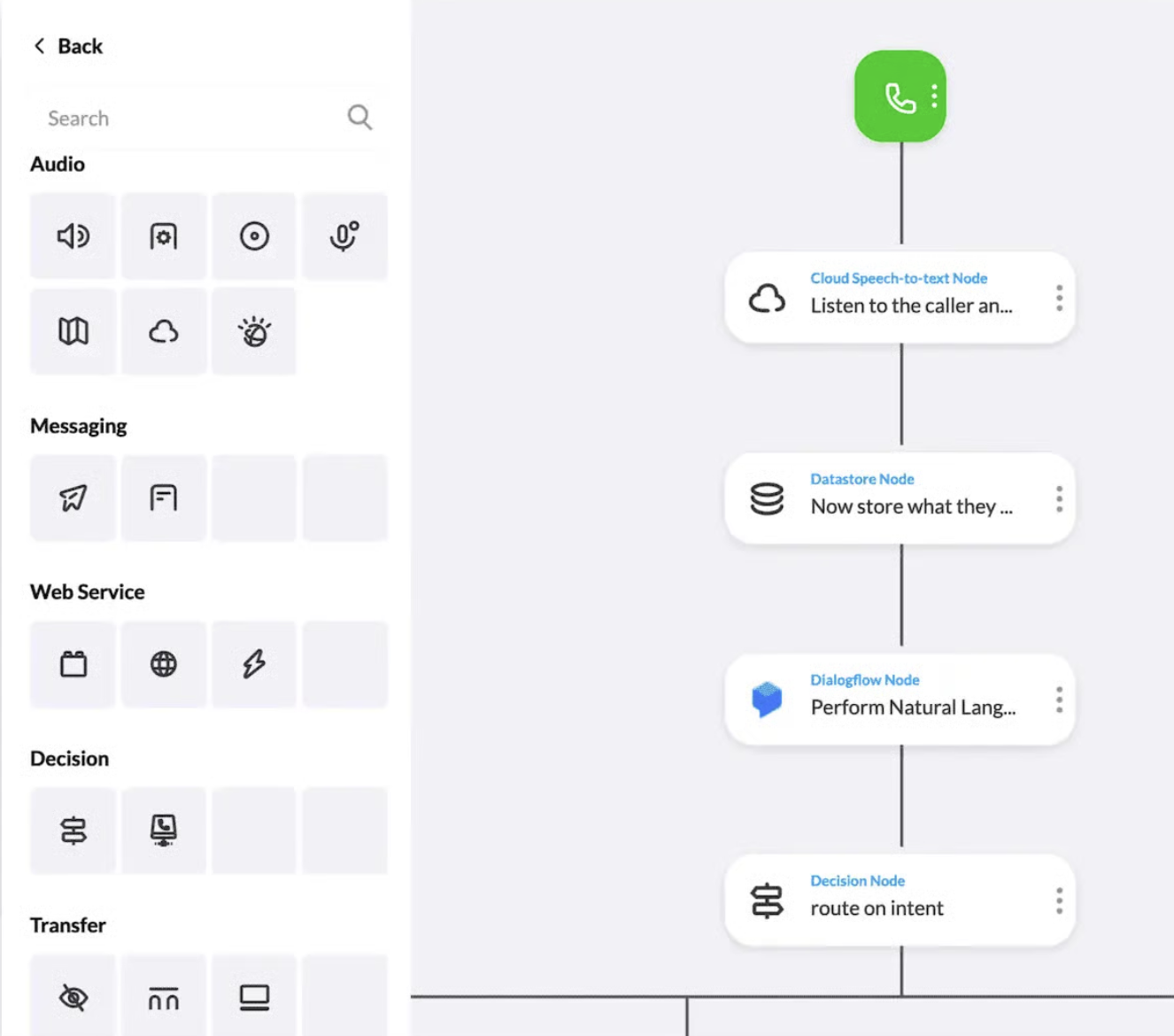
- Call flow builder: Use visual boards to design rules that route calls by schedule, destination, and unanswered actions.
- Call forward always: Redirect every incoming call to a chosen number, extension, or voicemail automatically.
- Call notify: Get an email alert whenever a call matches your preset conditions.
- Core: $23/user/month (or $15 with annual billing)
- Includes voice calling, video meetings, and team chat
- Engage: $50/user/month (or $25 with annual billing)
- Adds toll-free numbers and advanced reporting
- Scale: $75/user/month
- Adds AI-powered voice and web chat capabilities

Zoom Phone: Best low-cost VoIP plans
Overall Score
4.86/5
Pricing
5/5
General features
5/5
Advanced features
4.25/5
Support
5/5
Ease of use
4.63/5
Expert score
4.69/5
Pros
- Instantly turn calls into Zoom Meetings
- Flexible metered and unlimited calling plans
- Easy to set up and use
- AI-powered calls at no extra cost
Cons
- Occasional audio lags
- Limited advanced analytics
Why I chose Zoom Phone
Zoom Phone is the best choice if you want a reliable VoIP system at a lower cost. Most business VoIP providers start around $20 to $30 per user per month, but Zoom Phone offers plans starting at $10.50 per user, making it one of the most affordable options I’ve tested. Despite the lower price, it still includes essential VoIP features like call recording, routing, voicemail, and even online faxing.
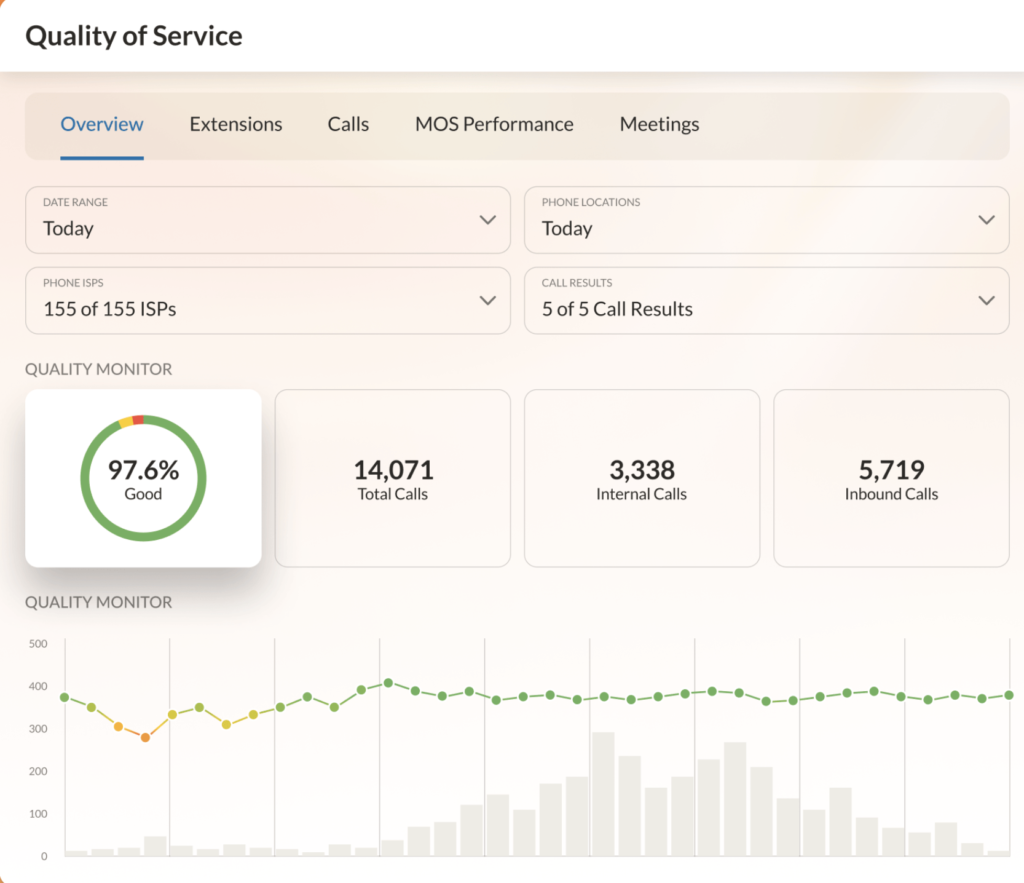
That said, Zoom Phone falls short in advanced call analytics. For teams handling high call volumes that need detailed performance insights, RingCentral is a stronger option, thanks to its built-in business analytics and customizable reporting tools.
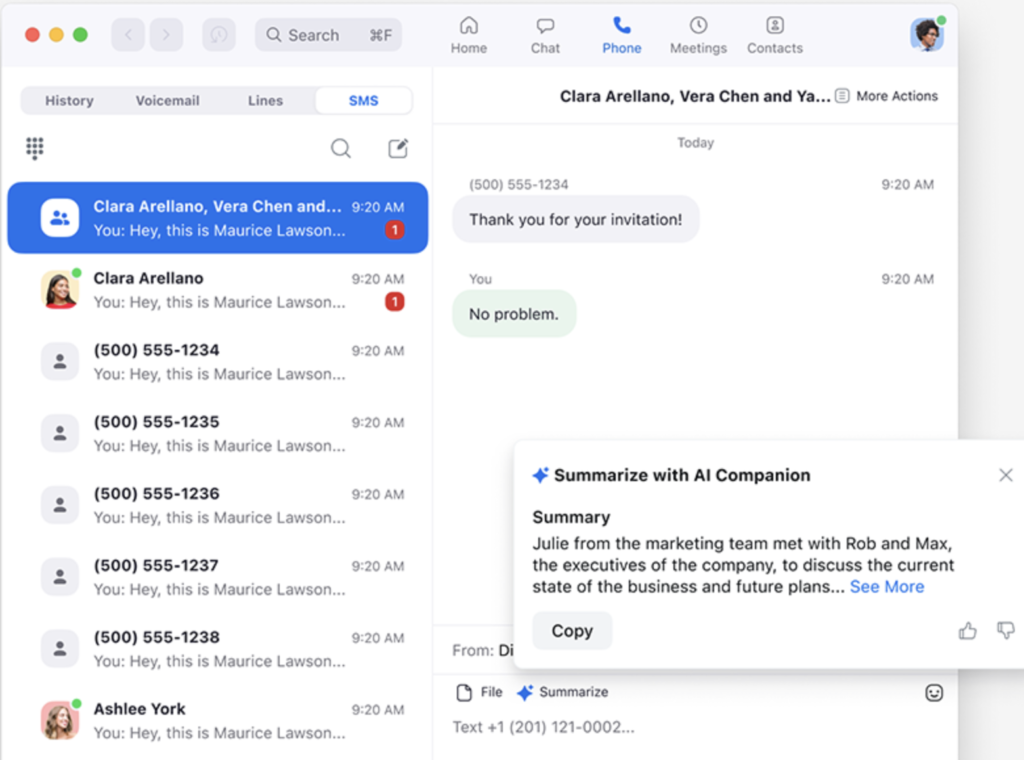
- Voicemail task extraction: Turn voicemails into tasks so you can catch up fast without replaying messages.
- Salesforce integration: Use native Salesforce tools for click-to-dial, screen pops, and auto-call logging.
- Elevate to meeting: Instantly switch a phone call into a Zoom Meeting without manual joining.
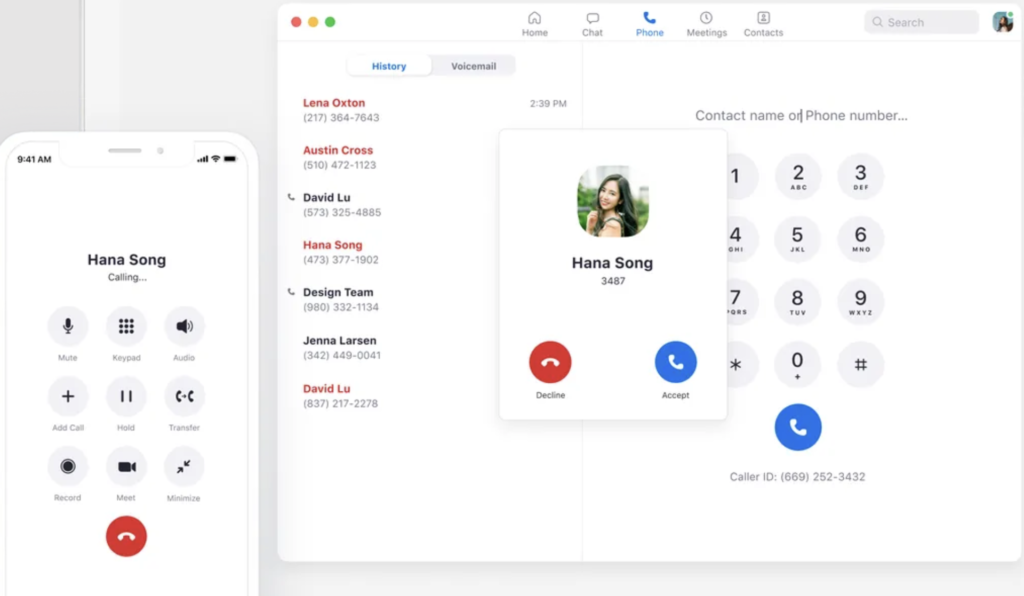
- Call delegation: Let assistants place and answer calls on behalf of executives.
- US & CA Metered: $10.50/user/month
- Includes metered calls in the US and CA, and call management features
- US & CA Unlimited: $16/user/month
- Unlimited calling in the US and CA
- Global Select: $20/user/month
- Unlimited calling in one of the 48 supported countries

RingCentral: Best AI-powered unified communications
Overall Score
4.56/5
Pricing
4/5
General features
4.5/5
Advanced features
4.63/5
Support
5/5
Ease of use
4.63/5
Expert score
4.06/5
Pros
- Comprehensive call management and collaboration tools
- Integrates with 500+ third-party apps
- Multiple support channels available
- AI features are included across all plans
Cons
- Can feel overwhelming during initial setup
- Limited SMS messaging credits across plans
Why I chose RingCentral
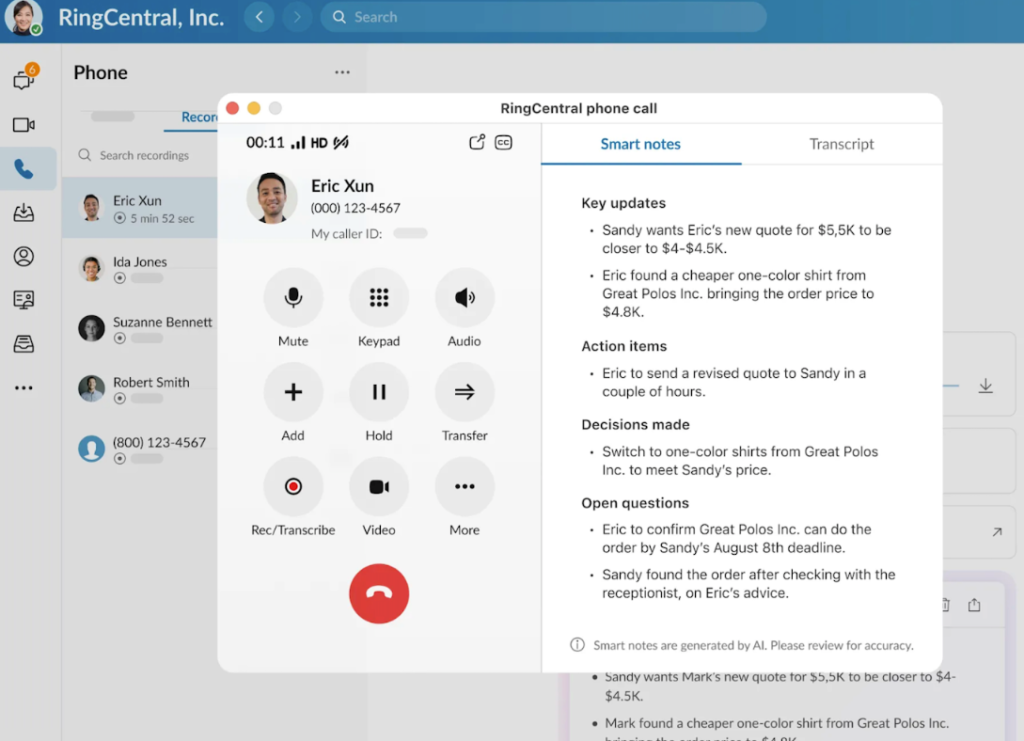
If you’ve been researching the best VoIP providers, chances are you’ve come across RingCentral more than once, and for good reason. RingCentral is a leading name in business communications, offering everything from complete call management and collaborative meetings to AI-powered team chat. In my experience testing business communication tools, RingCentral stands out because it doesn’t just offer individual features; it brings them all together into a unified interface.
Teams can switch between phone calls, team chat, and video meetings without leaving the platform, which makes day-to-day communication much more efficient. That said, these feature-rich capabilities come with a higher price point, making RingCentral less practical for individual users or small businesses just getting started. For startups or budget-conscious teams, Ooma is a more affordable alternative that still delivers strong business phone features at a lower cost.
- Hot desking: Employees can log into any desk phone to access their extension, profile, and voicemail.
- Call screening: See the caller ID before answering to decide how to respond.
- Unified inbox: Manage texts, faxes, and voicemails together in one place.
- Scan-to-fax: Send scanned documents as eFaxes directly from your printer or scanner.
- Core: $30/user/month (or $20 with annual billing)
- Includes core call management features, AI meetings, and collaborative messaging
- Advanced: $35/user/month (or $25 with annual billing)
- Adds call monitoring, app integrations, internet fax, and adoption analytics
- Ultra: $45/user/month (or $35 with annual billing)
- Adds advanced analytics and unlimited storage
- Customer engagement bundle: Contact sales for pricing
- Adds support for SMS campaigns and customer outreach

Vonage: Best build-your-own VoIP
Overall Score
4.48/5
Pricing
5/5
General features
4.13/5
Advanced features
4.06/5
Support
4.25/5
Ease of use
5/5
Expert score
4.38/5
Pros
- Unlimited SMS within the US
- 99.999% uptime reliability
- 40+ standard phone features at the base plan
- Modern and user-friendly app
Cons
- Video and chat are locked behind higher tiers
- Limited app integrations
Why I chose Vonage
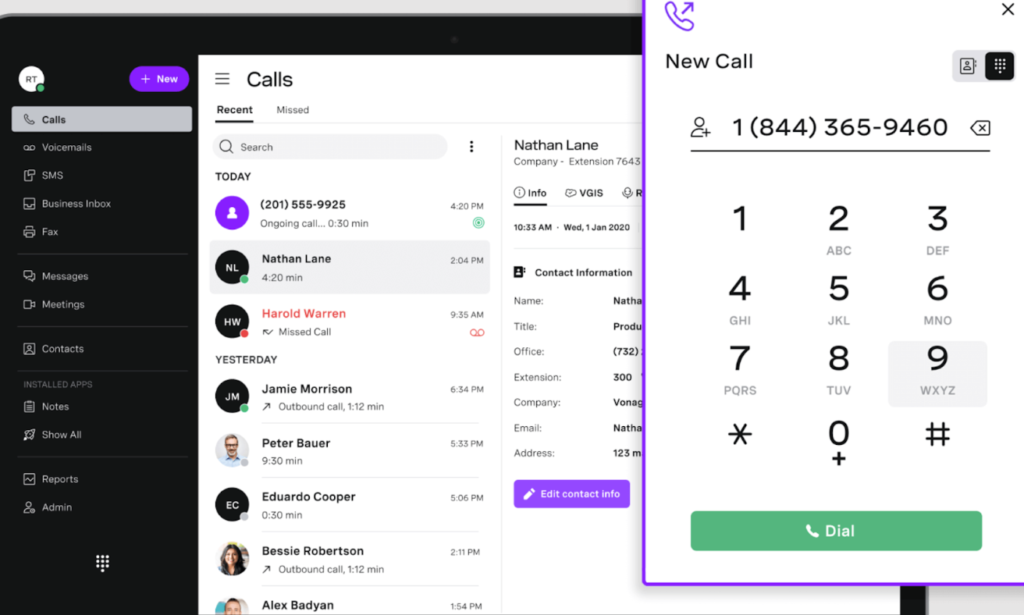
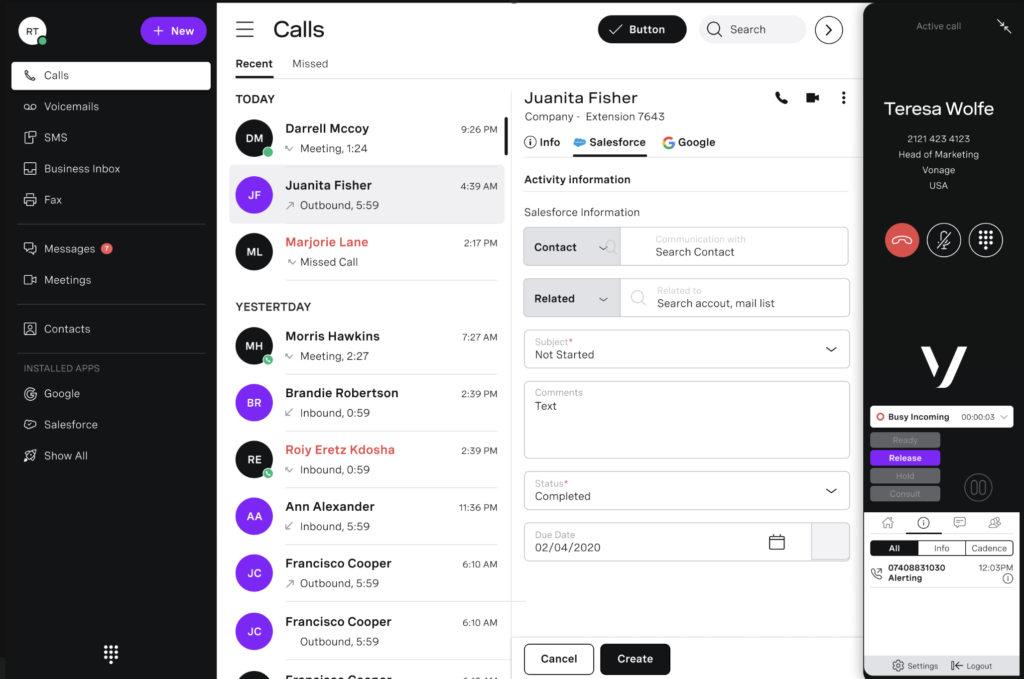
Vonage is the best fit if you want to customize how your business communicates. What stood out in my testing is its API-first approach, which lets you embed voice, messaging, and video directly into your website or internal tools. This is something most traditional VoIP providers don’t offer.
However, while Vonage offers pre-built plans starting at $19.99 per month, many advanced features are sold as add-ons. If you’re just starting out with VoIP and want everything bundled into a single plan, Nextiva may be a better fit since its packages include multiple communication channels upfront, making setup more straightforward.
- Business inbox: Handle SMS, MMS, and Facebook Messenger in one inbox for faster customer response.
- Call announce: Hear who’s calling and why before the call reaches your team.
- Call rerouting: Redirect calls to active lines during emergencies or outages.
- Call flip: Switch live calls between desk phone and mobile without interruption.
- Mobile: $19.99/user/month
- Includes unlimited calling, 42 phone features, and team messaging capabilities
- Premium: $29.99/user/month
- Adds video meetings and CRM integrations
- Advanced: $39.99/user/month
- Adds call recording, ring group, and visual voicemail

Ooma: Best entry-level VoIP for small business
Overall Score
4.31/5
Pricing
2/5
General features
4.5/5
Advanced features
4/5
Support
5/5
Ease of use
5/5
Expert score
5/5
Pros
- Includes 500 toll-free minutes with 800 numbers
- Unlimited calling to the US, Canada, Puerto Rico, and Mexico
- 50+ phone features come standard with all plans
- Offers residential plans for home-based businesses
Cons
- Comes with a $49.95 activation fee
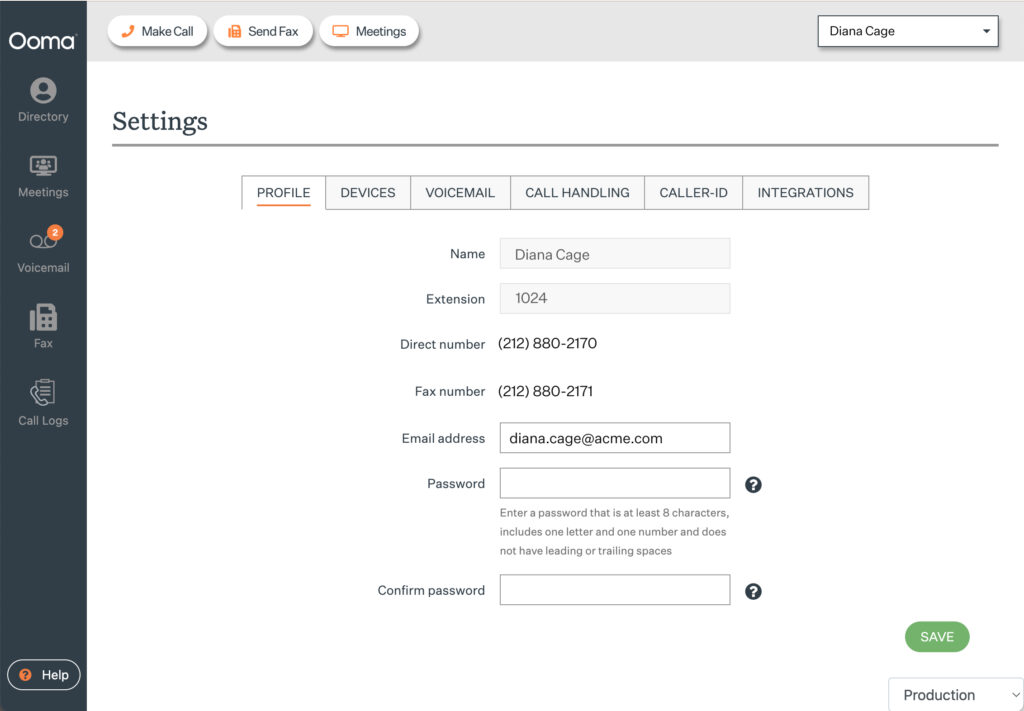
- Interface feels dated compared to competitors
Why I chose Ooma
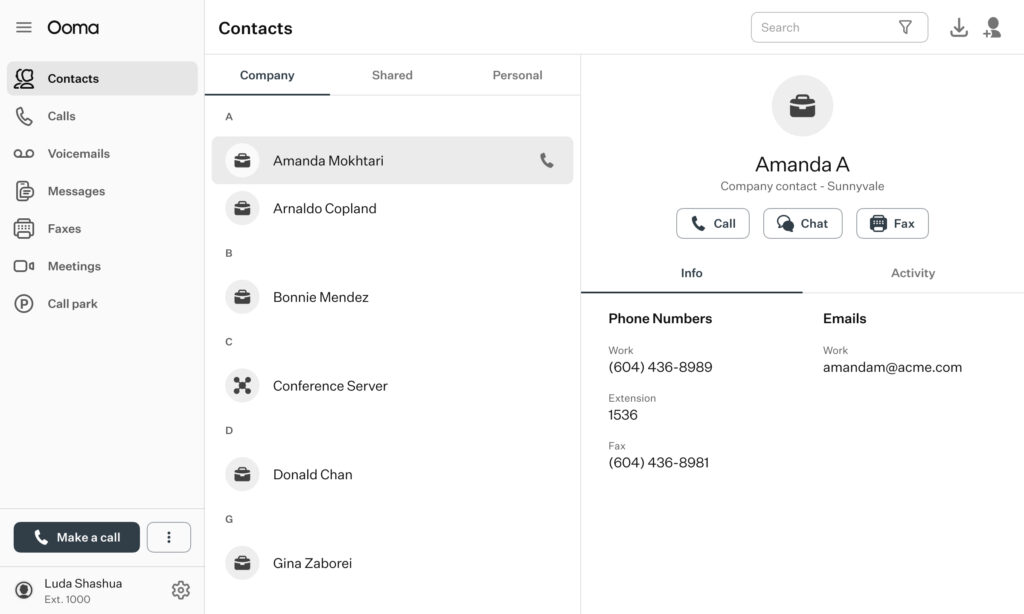
Ooma is a solid choice if you want a straightforward VoIP system focused on calling. From my experience, it’s one of the easiest platforms to set up and use, making it ideal for small businesses or home-based teams that don’t need advanced tools. You get essential features like unlimited domestic calling and toll-free minutes without the complexity of larger platforms.
That said, Ooma can be too basic for teams that rely heavily on advanced customization. If your business requires a more comprehensive communication platform, I recommend RingCentral, which combines calling, messaging, video, and AI-powered tools in a single solution.
- Number porting: Keep your business numbers when switching carriers with free Ooma porting.
- Virtual fax: Send faxes online and get them as email attachments with a personal fax number.
- Call forward when devices are offline: Forward calls to a cell phone or landline if Ooma devices go offline.
- Dynamic caller ID: Use star codes to instantly change your caller ID name and number.
- Essentials: $19.95/user/month
- Includes unlimited local calling and call management features
- Pro: $24.95/user/month
- Adds video meetings, call recording, and 250 SMS credits
- Pro Plus: $29.95/user/month
- Adds team chat and CRM integrations

Grasshopper: Best for setting up a dedicated business line
Overall Score
4.25/5
Pricing
5/5
General features
5/5
Advanced features
1.5/5
Support
5/5
Ease of use
4.63/5
Expert score
4.38/5
Pros
- Free vanity number included
- Consistent experience across desktop and mobile
- Unlimited user capacity for higher plan tiers
- Works as a second phone number app
Cons
- No built-in collaboration tools
- Lacks app integrations
Why I chose Grasshopper
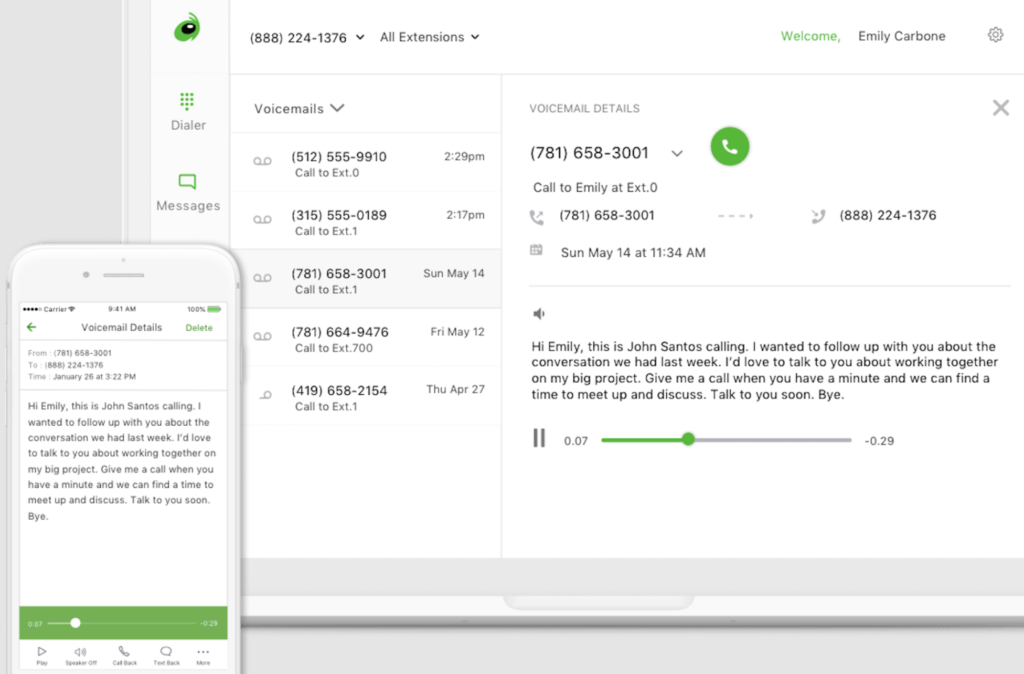
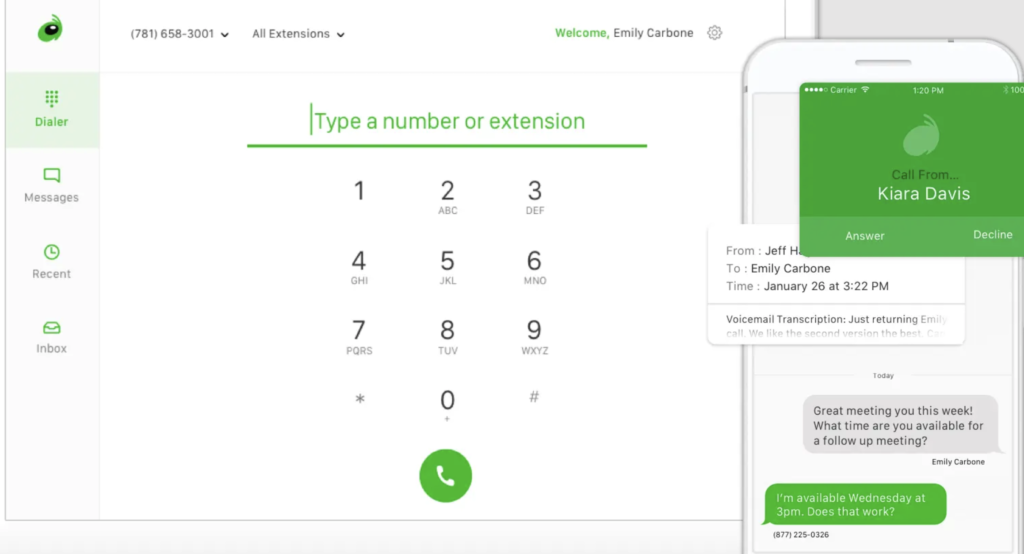
Grasshopper is a great option if you simply need a dedicated business number without extra complexity. When I tested it, the biggest advantage was how quickly you can set up a professional phone presence using a local, toll-free, or vanity number. It’s especially useful for solopreneurs or small teams that want to separate business and personal calls without adopting a full VoIP system.
Of course, Grasshopper has limitations. It lacks the advanced features needed to handle high call volumes, so it isn’t the best fit for customer support teams. If you’re looking for a more complete VoIP platform for client interactions, I recommend Nextiva, which provides a full suite of tools for sales and support communications.
- Instant response: Send auto text replies to new callers, even if you miss the call.
- Incoming call control: Block, screen, and schedule calls around your business hours.
- VoIP + WiFi calling: Make and receive calls over WiFi when cell service is weak.
- Conversation filters: View only messages, calls, voicemails, faxes, or any mix you choose.
- True Solo: $18/month (or $14 with annual billing)
- For one user, one phone number, one extension
- Solo Plus: $32/month (or $25 with annual billing)
- For unlimited users, one phone number, three extensions
- Small Business: $70/month (or $55 with annual billing)
- Adds four phone numbers and unlimited extensions

CallHippo: Best for call center management
Overall Score
4.16/5
Pricing
2/5
General features
4.13/5
Advanced features
4.38/5
Support
5/5
Ease of use
3.75/5
Expert score
5/5
Pros
- Flexible plans for low- and high-volume teams
- Includes unlimited landline and mobile calling
- Real-time chat support for customers
Cons
- Additional fees for dashboard users
- Limited SMS messaging on essential plans
Why I chose CallHippo
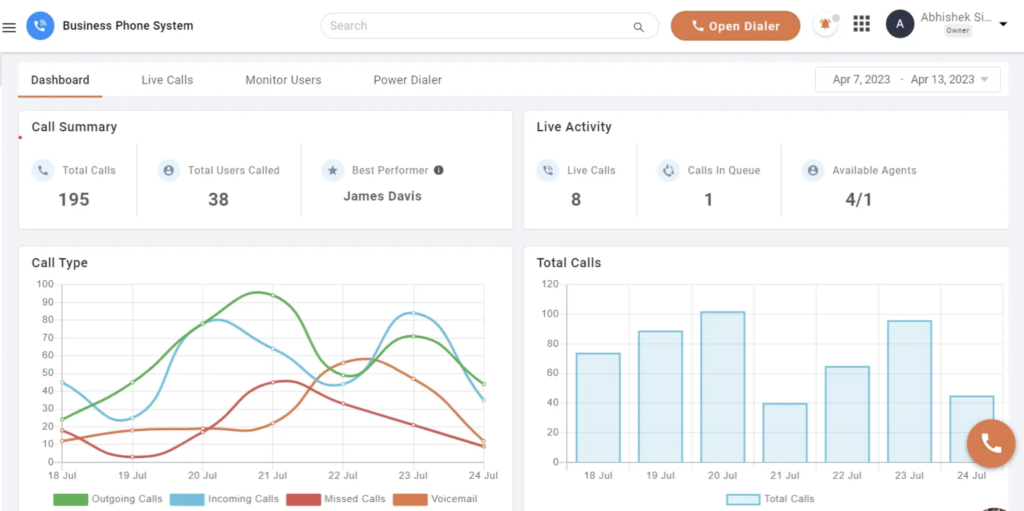
CallHippo is one of the most accessible ways to get call center functionality without paying enterprise-level prices. When I evaluated it, what stood out was how features like call monitoring, skill-based routing, and agent tracking are included in relatively affordable plans. Most providers reserve these tools for premium tiers, but CallHippo makes them available earlier, which is a big advantage for growing support or sales teams.
That said, while CallHippo includes unlimited minutes for both mobile and landline calls, there are restrictions. Certain countries and number types aren’t included in unlimited calling. If you need more flexible options, I recommend Zoom Phone, my top VoIP for international calling, which offers customizable plans, whether you prefer metered or unlimited calling to regional and international destinations.
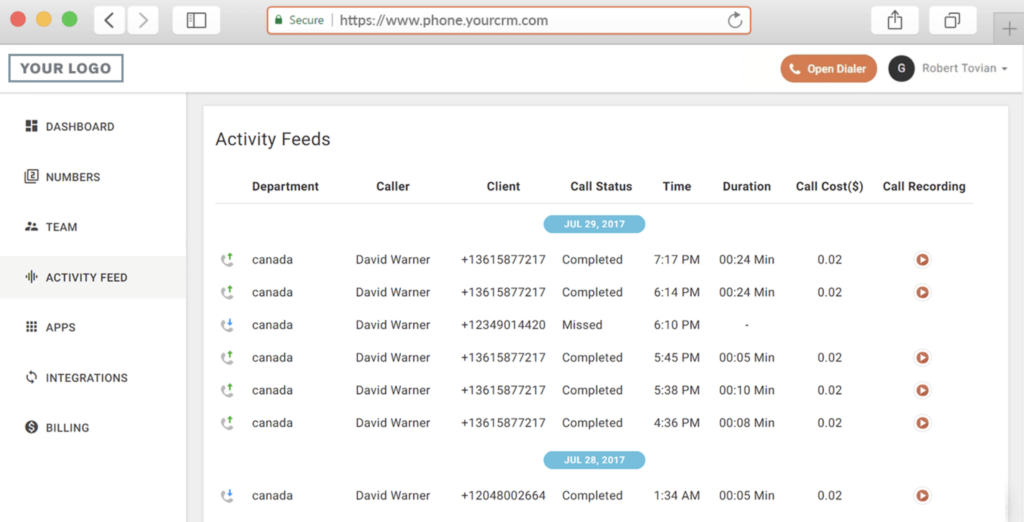
- Smart DID routing: Show a local number as caller ID to optimize customer response.
- Sticky agent: Automatically route customers to the same agent familiar with their history.
- Call queue: Place callers in a virtual queue with updates on expected wait times.
- Call forwarding: Redirect calls to another number or device if the main line is unavailable.
- Basic: $1
- Includes voicemail and metered SMS
- Starter: $25 (or $19 with annual billing)
- Adds unlimited minutes, one number, basic call handling
- Professional: $39 (or $29 with annual billing)
- Adds agent monitoring
- Ultimate: $55 (or $45 with annual billing)
- Adds custom integrations
- Enterprise: Custom pricing
- Adds outbound campaign tools
Buyer’s checklist: How to choose the best VoIP software
Choosing the right VoIP platform means asking the right questions about your business needs. The questions below will help you compare VoIP providers and ensure you’re investing in a solution that fits both your budget and workflow.
- Does it have the call management tools I need? Strong call management ensures your team can route calls, set business hours, record conversations, and manage voicemail without disruptions. These features directly affect how smoothly customer and internal communications are handled.
- Is the interface simple for my team to use? A user-friendly interface shortens the learning curve and helps your team adopt the system quickly. The easier it is to navigate, the less time you’ll spend on training and troubleshooting.
- Can it connect with my existing business apps? Integration with tools such as CRMs, help desks, and productivity software enables your team to work from a single hub. This eliminates manual data entry and gives you a more complete view of customer interactions.
- Does it include collaboration tools like video and chat? Some business VoIP providers go beyond calling by offering video meetings and messaging. These features allow teams to communicate in real time without switching between multiple apps.
- Does it meet my security and compliance needs? Security compliance ensures sensitive business and customer data is protected from breaches or misuse. Look for providers with certifications such as HIPAA (Health Insurance Portability and Accountability Act) and the General Data Protection Regulation (GDPR), and that offer end-to-end encryption to safeguard your communications.
Methodology: How I evaluated the best VoIP providers
I evaluated the best VoIP providers based on a structured scoring system that compares pricing, features, usability, support, and scalability. Each provider was reviewed using a consistent rubric to ensure fair, side-by-side comparisons across all platforms.
My analysis is based on hands-on testing, product demos, and the review of real-world use cases for small businesses and growing teams. I focused on how each VoIP system performs in day-to-day operations, including setup, call quality, feature accessibility, and integration with common business tools.
- Pricing and value: I compared monthly costs, plan flexibility, and whether features are bundled or sold as add-ons. Providers with transparent pricing and strong feature-to-cost ratios scored higher.
- Core VoIP features: This includes call routing, auto-attendants, voicemail, call recording, and mobile app functionality. I prioritized platforms that deliver reliable, business-ready calling tools.
- Advanced capabilities: I evaluated features such as AI-powered call summaries, analytics dashboards, omnichannel messaging, and automation tools that enhance productivity and the customer experience.
- Ease of use: I assessed how intuitive each platform is, including onboarding, navigation, and day-to-day usability for teams with varying technical experience.
- Customer support: I reviewed support availability across channels (phone, chat, email), response times, and overall service reliability.
- Scalability: I considered how well each provider supports business growth, including adding users, expanding features, and integrating with CRM and collaboration tools.
Bottom line
The best VoIP phone providers give you more than just phone service, as they streamline communication and keep your business flexible as it grows. By focusing on call management, ease of use, and security, you’ll be able to narrow down providers that truly fit your needs. Whether you’re a startup or scaling enterprise, the right VoIP choice helps you stay connected without overspending.
From my experience, platforms like Nextiva, Zoom Phone, and RingCentral stand out for balancing usability, scalability, and advanced features. However, the right choice ultimately depends on your priorities, whether that’s cost, customization, or customer engagement.
FAQs
The best VoIP brand depends on your business size, budget, and communication needs. If you’re looking for industry leaders, Nextiva, RingCentral, and Vonage are among the most reliable and feature-rich options.
When evaluating the best VoIP providers, look for features such as auto-attendants, call forwarding, mobile apps, CRM integrations, analytics, and strong security protocols.
Ooma is one of the top VoIP providers for residential use, offering dedicated home phone plans. With the purchase of its dedicated adapter, you can access free US calling, essential phone features, and affordable international rates.
